
🎉 New! The Tunescribers Quick Quote Browser Extension Is Here
If you’ve ever thought “I wish I could get a sheet music quote instantly for this song I’m listening to” — we’ve got great news.
The Tunescribers Quick Quote extension is now available for Chrome and Firefox, and Microsoft Edge.
What Is It?
The Quick Quote extension makes it ridiculously easy to request a custom sheet music quote from any song page — right from your browser. Just click the icon and you’ll be taken to our quote form with the URL pre-filled.
Supported platforms: YouTube, Spotify, and SoundCloud.
How It Works
- Install the extension:
Follow the links below to get the extension for your browser:



- Click the icon in your browser:

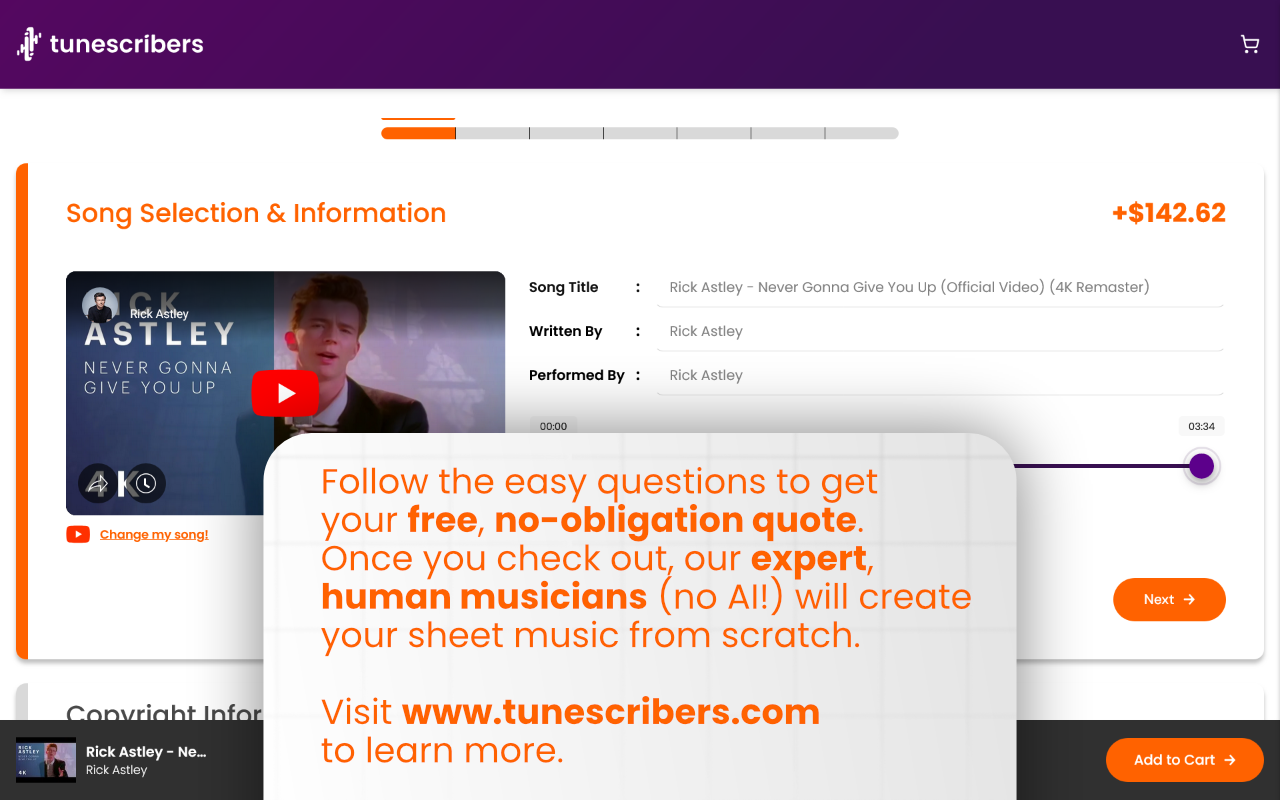
- You’re taken to our quote form with the link already filled in:
Why Use It?
- ✅ Faster quotes – no need to copy/paste
- ✅ Fewer clicks – just one tap from a track to a quote
- ✅ Better accuracy – we grab the exact URL for you
It’s perfect for musicians, teachers, students, and anyone who regularly needs custom sheet music.
👉 Ready to Try It?
Click below to install the extension in your browser and start your next project faster than ever.
FAQs
Do I need the extension to get a quote?
Nope! You can still get a quote the usual way by visiting our order form.
The extension is just a handy shortcut — it speeds up the process by automatically grabbing the link to the music you’re viewing.
Can I use it on my phone or tablet?
Not yet — the Tunescribers Quick Quote extension is currently available for desktop browsers only (Chrome, Firefox, and soon Microsoft Edge).
If you’re on mobile, we recommend bookmarking our order form for quick access.
How do I install it?
It only takes a second:
- If you’re using Google Chrome, click here to install
- If you’re using Firefox, click here to install
- If you’re using Edge, click here to install
Is it free?
Yes! The extension is completely free to install and use.
Does the extension collect or read any of my data?
No. The extension simply detects the page URL when you click the Tunescribers icon and passes that to our quote tool.
It doesn’t track you, store your info, or access anything else in your browser.
Can I just order sheet music?
Tunescribers offers more than just sheet music!
With the Quick Quote extension, you can request any of our services — including custom arrangements, transcriptions, backing tracks, and more.
The extension isn’t working — what should I do?
Most issues come from trying to use the extension on the wrong type of page. Here’s how to make sure you’re on the right one:
- YouTube: Open the specific video. Don’t use a playlist or search results page.
- Spotify: Make sure you’re on the song’s individual track page (click the track title so it shows its own page/URL).
- SoundCloud: Navigate to the single track’s page — not a playlist, album, or artist profile.
Once you’re on the correct page, click the Tunescribers icon in your browser toolbar. You should be redirected to our quote form with the link pre-filled.
What sites does it work on?
Right now, it works with:
- YouTube
- Spotify (web player)
- SoundCloud
We’re adding support for more platforms over time.
What happens when I click the extension?
You’ll be instantly redirected to our quote form, with the music link already filled in. From there, you can adjust your preferences and place your order as usual.